10 Essential Interior Design Software Tools Every Designer Should Know
From creating accurate floor plans to producing photorealistic 3D renders, the right software can transform the way you design spaces. Explore 10 important interior design tools, what each one does, and how to choose the right combination for your career.
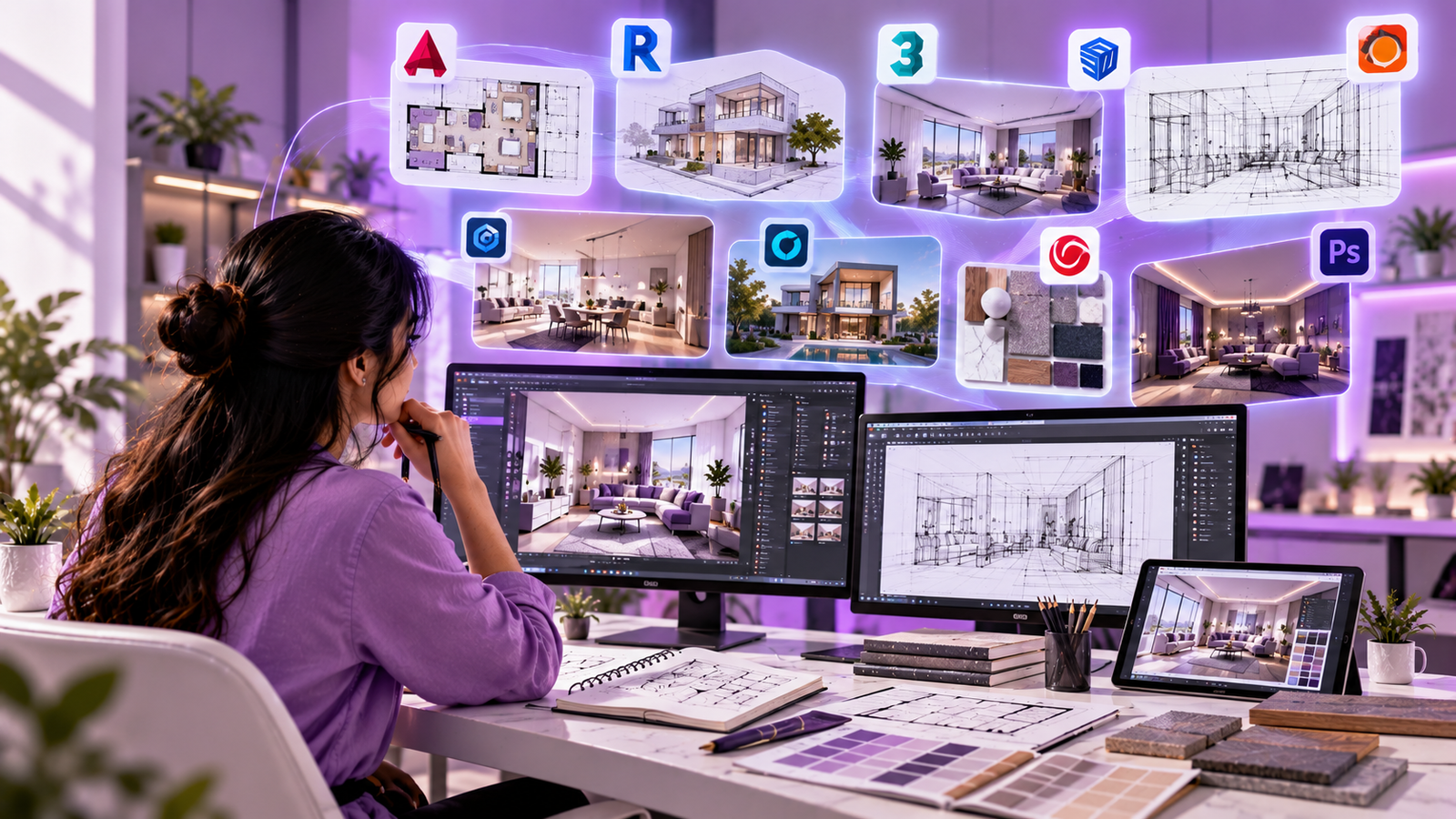
Quick answer: AutoCAD is widely used for technical drawings, SketchUp and Revit help with 3D modelling and building documentation, while 3ds Max, V-Ray, Enscape, Lumion, D5 Render and Corona Renderer support different visualization workflows. Photoshop helps designers refine presentations. You do not need to master all ten at once.
Interior design is a combination of creativity, technical knowledge and communication. A designer needs to understand how people use a space, plan furniture and circulation, select finishes, coordinate lighting and communicate a design clearly to clients and project teams.
Software makes many of these tasks easier. It helps designers prepare drawings, test layouts, explore materials, visualize lighting and present design concepts before work begins on site. The best tool depends on the project, the studio's workflow and the designer's role.
Why Is Software Important in Interior Design?
Digital tools help turn an initial idea into a practical design proposal. Instead of relying only on hand sketches, designers can create measurable plans, compare layouts and show clients how a proposed space may look.
- Accurate planning: Create dimensions, layouts, elevations and technical drawings.
- Better visualization: Communicate space, furniture, materials and lighting in 3D.
- Faster revisions: Test alternative layouts and design choices before implementation.
- Clearer coordination: Share drawings and models with clients, contractors and consultants.
- Professional presentations: Build portfolios, mood boards and realistic project visuals.
Software is a tool, not a substitute for design knowledge. Understanding scale, ergonomics, materials, building constraints and the client's needs is still essential.
The 10 Essential Interior Design Software Tools
Here are ten widely used tools across drafting, modelling, rendering and presentation. Their features, licensing options and system requirements vary, so check the official product information before choosing a tool.
01. AutoCAD — For Technical Drawings
2D Drafting & Documentation
Creating dimensioned floor plans, furniture layouts, elevations, sections and detailed construction drawings.
2D drawingsPrecisionBuild a Technical Foundation
Learn layers, dimensions, line types, blocks, plotting and drawing standards used in many design workflows.
Beginner foundationAutoCAD is a computer-aided design tool used to create precise 2D drawings and 3D models. In interior projects, it is especially useful for plans, reflected ceiling layouts, furniture arrangements and elevations.
A strong AutoCAD workflow includes setting units correctly, organizing layers, using reusable blocks, applying dimensions consistently and preparing drawings for printing or sharing. These skills help make design documentation easier to read and revise.
Start by learning: drawing commands, modify tools, layers, blocks, dimensions, layouts and plotting.
02. SketchUp — For Quick 3D Concept Modelling
SketchUp is popular for its approachable modelling workflow. Designers can build rooms, furniture, cabinetry and interior concepts in 3D, making it useful when exploring ideas and explaining proportions to clients.
Its visual modelling approach makes it a practical option for students learning how a two-dimensional plan becomes a three-dimensional space. Models can also be combined with compatible rendering tools for more polished presentations.
- Develop room layouts and simple furniture models.
- Explore proportions, materials and design alternatives.
- Communicate early concepts with clients and team members.
Start by learning: groups, components, push/pull, measurements, scenes, tags and model organization.
03. Autodesk Revit — For BIM & Coordinated Design
Revit is a Building Information Modeling (BIM) application. Rather than treating every drawing as an isolated line drawing, a BIM workflow uses a coordinated building model to produce plans, elevations, sections and schedules.
Revit can be especially useful for larger projects and teams where architecture, interiors and building systems need to coordinate. Changes to the model can update related views, depending on how the project is set up.
- Create coordinated plans, sections and elevations.
- Work with walls, floors, doors, windows and interior elements.
- Use schedules and model information to support documentation.
Start by learning: levels, grids, families, views, sheets, schedules and model coordination.
04. 3ds Max — For Advanced 3D Modelling
Autodesk 3ds Max is used for detailed 3D modelling, scene creation and visualization. It can help designers and visualization artists build complex furniture, refine architectural details and prepare scenes for rendering.
It offers extensive modelling and scene tools, but it usually requires more time to learn than a basic concept-modelling application. Understanding modelling principles, materials, cameras and lighting helps you get more from it.
Start by learning: object modelling, modifiers, materials, cameras, lighting and scene organization.
05. Lumion — For Fast Architectural Visualization
Lumion is a visualization application used to create rendered images, animations and walkthrough-style presentations from compatible 3D models. It is often associated with architectural and exterior visualization, while it can also be used for interior scenes.
Designers can use materials, lighting, vegetation, surroundings and camera paths to communicate the overall atmosphere of a design. Results depend on model quality, scene setup and hardware.
Start by learning: importing models, materials, environment settings, lighting, cameras and output settings.
06. V-Ray — For Photorealistic Rendering
V-Ray is a rendering engine available for supported 3D applications. It is used to produce detailed images with carefully controlled materials, lighting, reflections and shadows.
V-Ray is useful when the goal is to communicate the appearance of surfaces such as timber, stone, glass, fabric and metal. Learning realistic material values, lighting balance and camera composition is just as important as learning render settings.
Start by learning: materials, light sources, cameras, render quality and noise control.
07. Enscape — For Real-Time Visualization
Enscape is a real-time visualization tool that integrates with supported design applications. It can help designers explore a model and communicate the space through rendered views and interactive walkthroughs.
Real-time feedback can make design reviews more interactive. A team may use it to discuss room proportions, finishes, lighting and views while reviewing a compatible model.
Start by learning: model synchronization, materials, lighting, visual settings and walkthrough controls.
08. D5 Render — For Real-Time 3D Rendering
D5 Render is a real-time rendering tool used to produce interior and architectural visuals. Depending on the workflow and supported features, designers can develop scenes with materials, lighting, furnishings and atmospheric details.
It can be useful when you want to review a design visually and create presentation-ready imagery without treating every revision as a completely separate process. Check compatibility with your modelling software and computer before adopting it.
Start by learning: importing or syncing models, material editing, scene lighting, cameras and rendering.
09. Corona Renderer — For Natural-Looking Interiors
Corona Renderer is a rendering solution used in architectural visualization, including detailed interior imagery. It is known for a workflow that emphasizes approachable scene setup and realistic-looking light and materials.
It is particularly relevant for artists creating still images where the mood, light distribution, surface detail and overall composition matter. Availability and supported host applications can change, so check the current product documentation.
Start by learning: material setup, lighting, exposure, camera composition and render refinement.
10. Adobe Photoshop — For Presentation & Image Editing
Adobe Photoshop is an image-editing tool that can help interior designers refine presentation boards, adjust rendered images, create material collages and combine visual references into a coherent design story.
Photoshop is not a replacement for technical drafting or 3D modelling. It works alongside those tools to polish images and communicate concepts. A clear presentation should still represent the proposed design honestly and accurately.
- Prepare mood boards and material boards.
- Refine render images and make controlled visual adjustments.
- Combine textures, references, annotations and layout elements.
Start by learning: layers, selections, masks, adjustment layers, typography and exporting images.
Interior Design Software Comparison
The following table summarizes each tool's main role. Actual workflows overlap, and the best choice depends on the project and your goals.
| Software | Main purpose | Good starting goal |
|---|---|---|
| AutoCAD | 2D drafting and technical drawings | Accurate floor plans |
| SketchUp | Conceptual 3D modelling | Model a room |
| Revit | BIM and coordinated documentation | Build a coordinated model |
| 3ds Max | Advanced 3D modelling and scenes | Model detailed interiors |
| Lumion | Architectural visualization | Create a rendered walkthrough |
| V-Ray | Rendering | Refine realistic materials and light |
| Enscape | Real-time visualization | Review a model interactively |
| D5 Render | Real-time rendering | Produce presentation visuals |
| Corona Renderer | Photorealistic rendering | Create polished still images |
| Photoshop | Image editing and presentation | Build a presentation board |
How to Choose the Right Software
You do not need to learn every application at the same time. Begin with the tasks you want to perform, then add tools as your skills develop.
For Beginners
Build a foundation in design principles and technical drawings. Start with a drafting tool and an accessible 3D modelling workflow.
DrawingModellingFor Visualization
Focus on modelling, materials, lighting, cameras and one rendering workflow before adding multiple render engines.
3DRenderingFor Technical Documentation
Strengthen drafting standards, dimensions, elevations and drawing sets. Explore BIM workflows if your projects require coordination.
CADBIMFor Client Presentations
Combine clear drawings, compelling 3D visuals, material references and well-organized presentation boards.
PortfolioCommunicationA Practical Learning Order for Students
A structured learning sequence helps you build confidence without feeling overwhelmed. Adjust this plan to your course, computer and preferred career path.
- Understand design fundamentals: space planning, dimensions, ergonomics, colour, materials and lighting.
- Learn technical drafting: create a measured floor plan, furniture layout and elevations.
- Move into 3D modelling: build a simple room and add furniture, finishes and architectural details.
- Explore visualization: learn materials, natural and artificial lighting, camera views and render settings.
- Polish the presentation: create a mood board, project sheets and a concise explanation of your design decisions.
- Build a portfolio: document your process from the initial brief to drawings and final visualizations.
Portfolio tip: One well-explained project with a floor plan, furniture layout, material palette, 3D views and design rationale can demonstrate your skills more clearly than a folder of unrelated renders.
What Computer Do You Need?
Requirements differ significantly between drafting, BIM, modelling and rendering applications. Before purchasing a computer, check the current official system requirements for the exact applications and versions you plan to use.
- Processor: choose a modern CPU suitable for your applications and project complexity.
- RAM: more memory can help with larger models and multitasking.
- Graphics: check GPU requirements, particularly for real-time visualization and GPU rendering.
- Storage: an SSD helps with application loading and managing project files.
- Display: a clear, colour-consistent display can help when reviewing materials and presentations.
A powerful computer is helpful for demanding projects, but students can begin learning drafting, design fundamentals and simpler models on suitable entry-level systems. Always verify compatibility before buying.
Common Mistakes Beginners Should Avoid
- Learning too many tools at once: choose one main tool for each task and practise consistently.
- Ignoring design fundamentals: attractive renders cannot fix poor circulation or incorrect proportions.
- Skipping file organization: use meaningful file names, organized folders and regular backups.
- Focusing only on rendering: learn drawings, dimensions, materials and practical constraints too.
- Copying tutorials without understanding: recreate the workflow with your own room or project brief.
- Overlooking licensing: check official licensing, student eligibility and commercial-use terms.
How These Tools Can Support Your Career
Software knowledge can support several paths within the interior design and built-environment industries. Employers and clients may look for different combinations of technical and creative skills.
- Interior Designer: develops concepts, layouts, finishes and design presentations.
- CAD Draftsperson: prepares accurate drawings and documentation.
- 3D Visualizer: builds models and produces rendered images or walkthroughs.
- BIM Modeller: develops coordinated building models and documentation.
- Design Presentation Specialist: creates visual boards and client-facing materials.
Learning software does not guarantee a job by itself. A strong portfolio, design understanding, communication, accuracy and project experience all contribute to employability.
Frequently Asked Questions
1. Which software should an interior design beginner learn first?
Start with design fundamentals and a drafting tool such as AutoCAD, then learn a suitable 3D modelling tool. Add visualization and presentation software based on your goals.
2. Do I need to learn all 10 software tools?
No. Learn the tools needed for your role and projects. A strong understanding of a few complementary applications is often more useful than superficial knowledge of many.
3. What is the difference between AutoCAD and SketchUp?
AutoCAD is commonly used for precise technical drawings, particularly in 2D. SketchUp is commonly used to create and explore 3D concepts. They serve different purposes and can complement each other.
4. Which software is used to create realistic interior renders?
Tools such as V-Ray, Corona Renderer, Lumion, Enscape and D5 Render can support visualization workflows. The right choice depends on your modelling application, project needs, preferred workflow and computer hardware.
5. Can I learn interior design software online?
Yes. Online tutorials and courses can help you learn software, but consistent practice with real design briefs, feedback and portfolio projects is important for developing practical skills.
6. Is software knowledge enough to become an interior designer?
No. You also need spatial planning, design principles, materials knowledge, lighting, ergonomics, technical understanding and the ability to communicate with clients and project teams.
Final Thoughts
Interior design software helps bridge the gap between an idea and a clearly communicated design. AutoCAD supports technical drawings, SketchUp and Revit support different modelling workflows, 3ds Max supports detailed 3D work, and visualization tools help communicate materials, lighting and atmosphere. Photoshop can bring the final presentation together.
The most effective approach is to learn with a purpose: choose a small project, practise the tools that support it, review your results and build a portfolio as you progress. Your software skills become more valuable when they are supported by sound design decisions.
Turn Your Creativity Into Practical Design Skills
Explore interior and exterior design training at NovaArch Academy, and learn how technical drawings, 3D modelling and visualization fit into a complete design workflow.
Explore Our Courses →Have questions? Contact NovaArch Academy.