
AutoCAD vs SketchUp: What's the Difference?
AutoCAD and SketchUp are two popular tools in interior design, but they serve different purposes. Discover how they compare, when to use each one, and which software you should learn first as an aspiring interior designer.
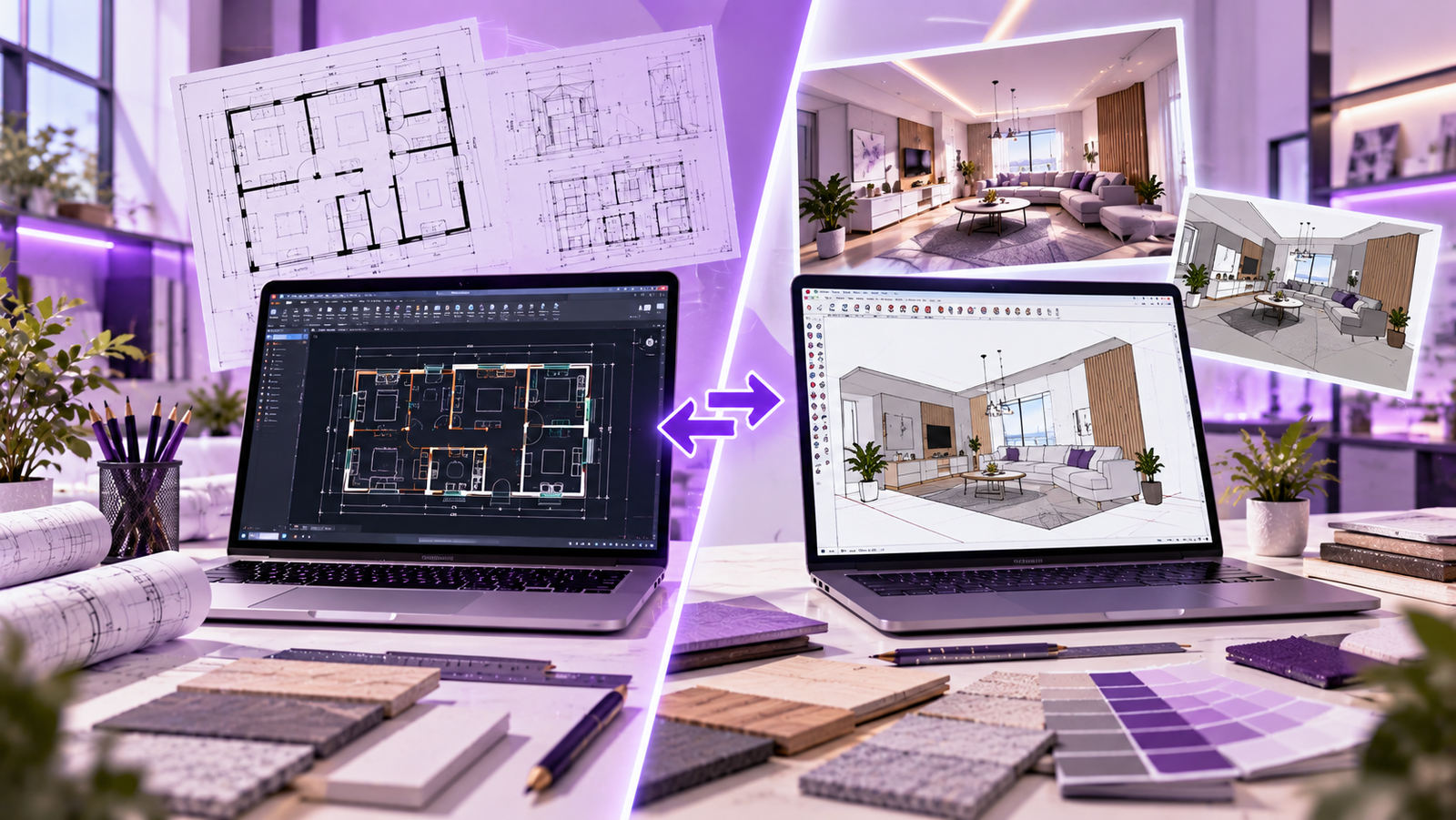
Quick answer: AutoCAD is commonly used to create precise technical drawings, especially 2D floor plans, elevations and construction details. SketchUp is commonly used to build 3D models and explore how a space may look. Interior designers often use both tools together rather than treating them as direct replacements for each other.
Imagine designing a living room. Before choosing a sofa or creating a beautiful 3D view, you need to understand the room's dimensions, doors, windows, circulation and furniture arrangement. You also need a way to show your ideas clearly to a client.
This is where software becomes important. AutoCAD helps you communicate measurements and technical information, while SketchUp helps you explore the design in three dimensions. Both can be valuable parts of a professional interior design workflow.
What Is AutoCAD?
AutoCAD is a computer-aided design (CAD) application developed by Autodesk. It is widely used for creating precise technical drawings and can also be used for 3D modelling.
In interior design, AutoCAD is particularly useful for preparing dimensioned floor plans, furniture layouts, reflected ceiling plans, elevations, sections and construction details. Designers can organize drawings using layers, reusable blocks, dimensions and drawing layouts.
What can you do with AutoCAD?
- Draw floor plans with accurate measurements.
- Prepare furniture layouts and circulation plans.
- Create wall elevations and interior detailing drawings.
- Show dimensions, annotations and drawing information clearly.
- Organize drawing sheets for sharing, printing and documentation.
Example: If you need to communicate the exact width of a wardrobe, the distance between two walls or the position of a door, a well-prepared technical drawing is essential. AutoCAD is useful for this type of work.
What Is SketchUp?
SketchUp is a 3D modelling application used to create and explore three-dimensional designs. Its visual modelling workflow makes it useful for developing interior concepts, furniture models and room layouts.
Designers can create walls, furniture, cabinetry and decorative features in a 3D environment. Viewing a model from different angles helps explain proportions, spatial relationships and design ideas that may be harder to understand from a flat drawing alone.
What can you do with SketchUp?
- Build a three-dimensional model of a room or apartment.
- Explore furniture placement and interior proportions.
- Test colours, finishes and design alternatives.
- Create 3D views to communicate concepts to clients.
- Use compatible extensions and rendering tools for further visualization.
Example: If a client wants to understand how a proposed living room will look with a sectional sofa, TV unit, false ceiling and feature wall, a SketchUp model can help illustrate the concept in 3D.
AutoCAD vs SketchUp: Comparison Table
This table highlights the main differences between the two applications. Their capabilities overlap in some areas, but their common uses in interior design are different.
| Feature | AutoCAD | SketchUp |
|---|---|---|
| Main purpose | Technical drafting and design documentation | 3D concept modelling and spatial visualization |
| Common workflow | Precise 2D drawings; also supports 3D | Interactive 3D modelling; also supports 2D documentation workflows |
| Floor plans | Widely used for dimensioned plans | Useful for creating plans as part of a 3D concept workflow |
| 3D modelling | Available, with a different workflow | A central part of its common workflow |
| Visual design exploration | Possible, but not its main strength in typical interior workflows | Useful for exploring forms, proportions and arrangements |
| Technical detailing | Strong for precise drawing and annotation workflows | Can support documentation, depending on setup and tools |
| Client presentations | Useful for plans, elevations and technical information | Useful for 3D views and concept communication |
| Learning focus | Commands, layers, dimensions and drawing standards | 3D navigation, modelling, groups and components |
| Rendering | Visualization options depend on workflow and additional tools | Can connect with compatible rendering tools and extensions |
| Best used for | Accurate drawings and technical communication | 3D modelling and visual exploration of design concepts |
Note: Features and availability vary by product version, subscription, extensions and workflow. Check each software's official documentation for current details.
The Biggest Difference Explained Simply
Focus on Precision
Use technical drawings to communicate dimensions, positions, construction information and how different elements fit together.
Measurements DraftingFocus on 3D Ideas
Use three-dimensional models to explore proportions, furniture arrangements, forms and how a proposed space may appear.
Modelling VisualizationThink of AutoCAD as a way to clearly explain the technical information behind a design, and SketchUp as a way to explore and communicate the three-dimensional concept. A real project may require both, depending on the studio's documentation and presentation requirements.
Which Software Should Beginners Learn First?
There is no single answer for every student. The best starting point depends on whether you want to focus first on technical drawings, conceptual 3D modelling or a structured interior design course.
Start with AutoCAD if you want to:
- Understand measured floor plans and technical drawings.
- Learn dimensions, layers and drawing conventions.
- Develop a foundation in documentation for interior projects.
Start with SketchUp if you want to:
- Explore three-dimensional forms and room layouts.
- Understand how furniture and architectural elements fit into a space.
- Develop early concept models and communicate visual ideas.
Our practical suggestion: If you are new to interior design, learn the design fundamentals first, then practise technical drawing and 3D modelling in a structured order. If your course starts with either software, follow that learning sequence and build confidence through projects.
Can Interior Designers Use Both Together?
Yes. Many workflows combine technical drawings and 3D modelling because a design needs to be both practical and understandable. Here is one example of how the tools may complement each other.
- Understand the brief: collect room measurements, client needs, site constraints and reference images.
- Prepare the layout: develop a measured floor plan and furniture arrangement in a drafting workflow.
- Create a 3D model: model the room, furniture and main design elements in SketchUp or another suitable application.
- Review the concept: check proportions, circulation, furniture placement and visual balance.
- Refine the drawings: coordinate technical information and update documentation as the design develops.
- Present the proposal: communicate the design using drawings, 3D views, material references and clear explanations.
The exact order varies by studio and project. Some teams begin with hand sketches, some develop models early, and others use BIM or integrated CAD workflows. The important point is to understand what each tool contributes.
Important Skills Beyond Software
Knowing commands and modelling tools is only one part of becoming an interior designer. Employers and clients also value the ability to make thoughtful, practical design decisions.
- Space planning: arranging furniture and circulation effectively.
- Ergonomics: considering comfort, clearances and everyday use.
- Materials knowledge: understanding finishes, durability and maintenance.
- Lighting: balancing natural and artificial lighting needs.
- Communication: explaining choices and responding to feedback.
- Portfolio development: presenting drawings, models and the reasoning behind your design.
Common Beginner Mistakes
- Expecting one tool to do everything: different tools support different stages of a project.
- Ignoring measurements: a visually attractive model still needs to respect real-world dimensions.
- Modelling without a plan: learn to read a brief and organize the space before adding unnecessary details.
- Skipping file organization: use clear names, sensible folders and regular backups.
- Learning only through copying: practise with your own room layout and explain your design decisions.
How These Skills Help Your Interior Design Career
AutoCAD and SketchUp can support different responsibilities in an interior design studio. Technical drawing skills are useful for documentation, while 3D modelling skills can help with concept development and presentation.
- Interior Designer: develops layouts, concepts, finishes and presentations.
- CAD Draftsperson: prepares accurate drawings and documentation.
- 3D Visualizer: creates models and visual representations of proposed spaces.
- Design Assistant: supports drawing updates, model preparation and project coordination.
Job requirements vary between employers. A portfolio showing your process, technical understanding and ability to solve design problems is an important complement to software knowledge.
Frequently Asked Questions
1. Is AutoCAD better than SketchUp?
Neither is universally better. AutoCAD is commonly used for precise technical drawings, while SketchUp is commonly used for 3D concept modelling. Choose based on the task you need to complete.
2. Is SketchUp easier to learn than AutoCAD?
Some beginners find SketchUp's visual 3D modelling approach intuitive. AutoCAD requires practice with drawing commands, layers, dimensions and drafting standards. The learning experience depends on your background and goals.
3. Can SketchUp be used for floor plans?
Yes. SketchUp can support floor-plan and documentation workflows, depending on the project setup and available tools. AutoCAD is widely used when precise 2D technical drafting is the main requirement.
4. Can AutoCAD create 3D models?
Yes. AutoCAD supports 3D capabilities as well as 2D drafting. SketchUp, however, is particularly associated with an accessible 3D modelling workflow.
5. Do interior designers need to learn both?
Learning both can be useful because they serve complementary roles in many workflows. The specific tools required depend on your course, employer, project type and career goals.
6. Which should I learn first for interior design?
If you want a technical foundation, start with drafting and dimensions. If your immediate goal is exploring three-dimensional concepts, start with basic modelling. A structured course can help you learn both in a practical sequence.
Final Thoughts
AutoCAD and SketchUp are not simply competitors. They are tools that can contribute to different parts of an interior design project. AutoCAD helps communicate technical information accurately, while SketchUp helps designers develop and explain ideas in three dimensions.
As you learn, focus on understanding the design process rather than memorizing commands alone. Practise with a real room, create a measured layout, develop a 3D model and document the decisions behind your work. This approach will help you build skills you can demonstrate in a portfolio.
Build Your Skills From Drawings to 3D Design
Explore interior and exterior design training at NovaArch Academy and develop practical knowledge of design fundamentals, technical drawings, 3D modelling and visualization.
Explore Our Courses →Have questions? Contact NovaArch Academy.